Quick Links
- Why This Isn’t a Retail Budgeting Problem
- How Most Shops Track This Today (Badly)
- What Real-Time Tracking Actually Looks Like
- How MyWorkbelt Builds This In
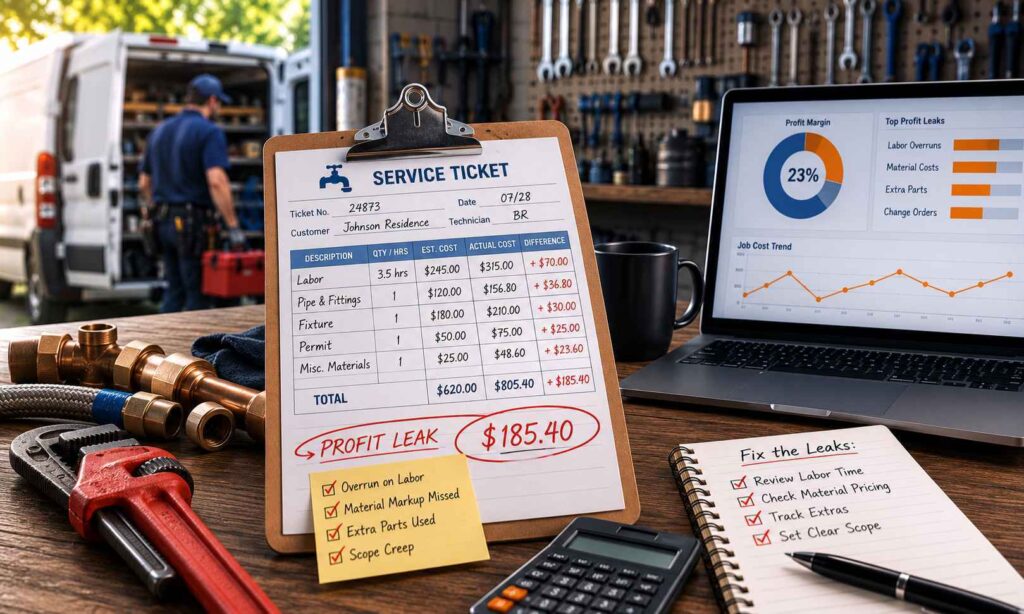
Budget vs Actual tracking is the practice of comparing what you estimated a job would cost, broken down by labor and materials, against what it cost once the work was done. That’s it. No formulas to memorize. Just the gap between what you thought a job would take and what it took, job by job, trade by trade.
Most owners have heard the term in a business school context and assumed it didn’t apply to them. It does. It just doesn’t look like the way an accountant explains it.
Why This Isn’t a Retail Budgeting Problem
Retail budgeting compares a department’s total spending against the quarterly plan. Field service work is different. Every job is its own small business decision. ACCA’s own research on job costing points to the same divide: contractors who cost jobs at the job level tend to sit well above the industry’s roughly 6% average net margin, and the ones who don’t tend to sit below it. You quote a materials cost before you know exactly what the crew will pull from the truck. You quote labor hours before you know if the crawl space is tight, or if the panel is corroded. Every job you run is a bet on your own estimate.
That means the gap between budget and actual isn’t a finance department exercise. It’s the difference between a job that made you money and a job that quietly didn’t, even though the invoice went out and the customer paid on time.
This is also why job-level tracking, not company-level tracking, is the only version of this that matters for a trade business. Knowing your overall gross margin for the quarter tells you that something is off. It doesn’t tell you which job type, which technician, or which supplier is the reason. A residential HVAC replacement and a commercial service call don’t behave the same way financially, even if they show up as the same line item on your P&L.
How Most Shops Track This Today (Badly)
Ask a service business owner how they know if a job was profitable, and you’ll usually get one of three answers.
The first is a gut feeling. “That one felt like it went fine.” Gut feel is built on whatever job most recently annoyed you, not on a pattern across dozens of jobs. It’s a real instinct, and it’s also why margin problems go unnoticed for years.
The second is the Friday spreadsheet. Export the job data, pull out the materials receipts, try to reconstruct what a job cost against what it was quoted at.. This works technically. It also takes hours every week, and it’s usually abandoned within a few months because the owner has a business to run.
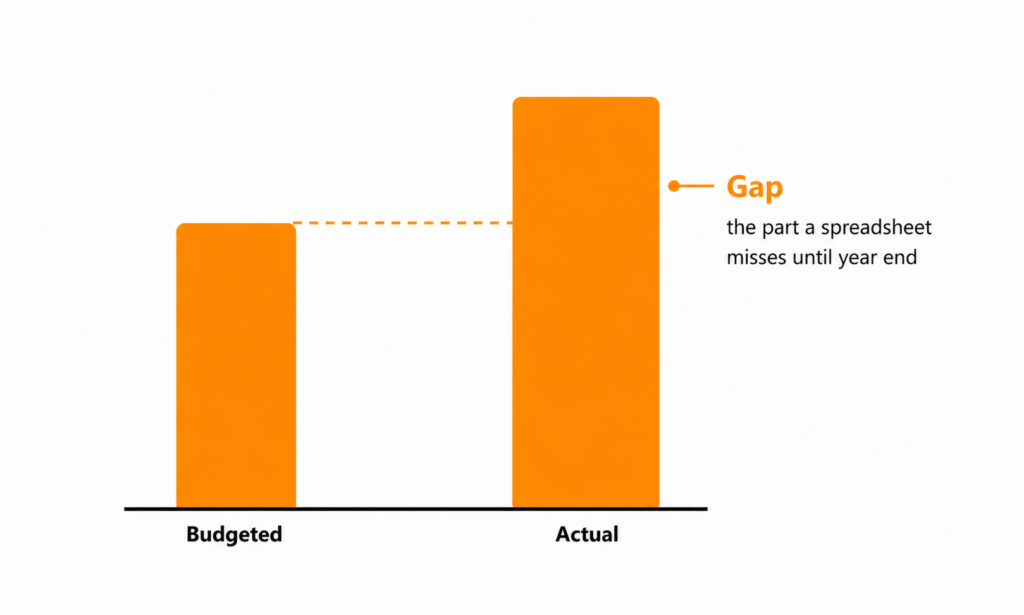
The third is the year-end report from the accountant. Revenue up, margin down slightly, “within normal range.” By the time this arrives, the jobs that caused the dip are long finished, the crew has moved on, and there’s no way to trace the number back to a specific job type or a specific decision. You’re looking at a symptom eleven months after the cause.
All three approaches share the same flaw. They tell you something happened after it’s too late to act on it.
What Real-Time Tracking Actually Looks Like
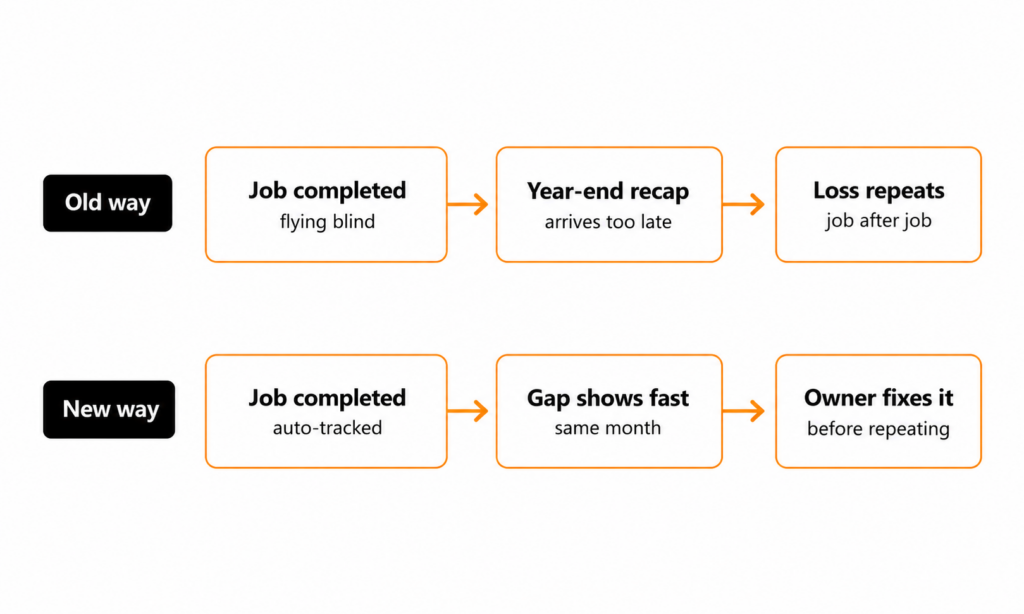
Real-time Budget vs Actual tracking flips the timing. Instead of finding out at tax time that your margin slipped, you see the gap while the job type is still active, while you’re still quoting the next ten jobs the same way.
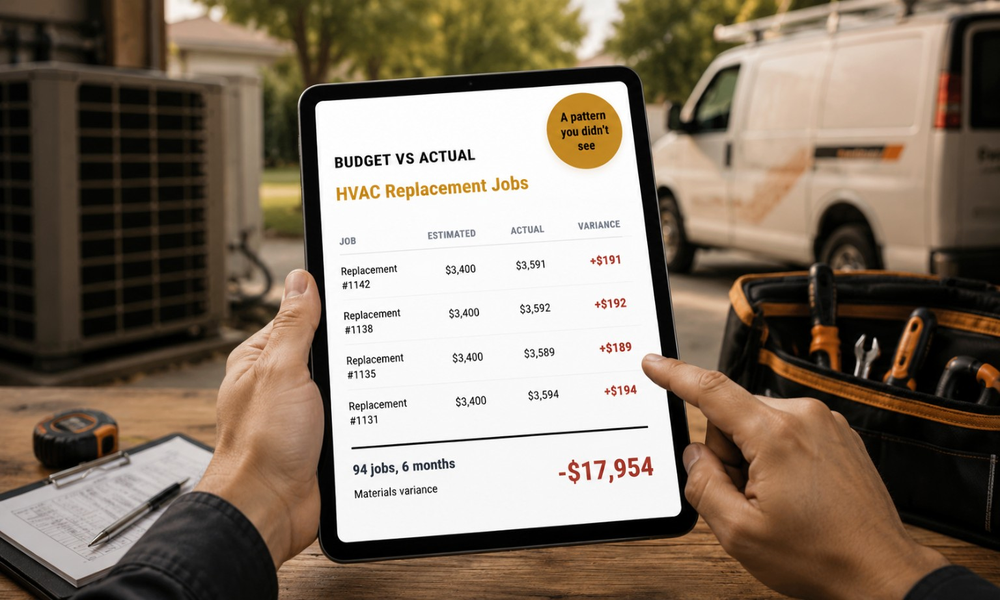
Here’s a simple walkthrough. Say you quote a residential HVAC replacement using the materials cost your team has always used. It’s worked for years. Now imagine that estimate is quietly running short. Not because anyone made a mistake. Refrigerant prices have moved. A supplier changed the price without telling you. The tech is using a slightly different part because the original spec isn’t stocked anymore.
On a spreadsheet-and-gut-feel system, you don’t notice. The invoice goes out. The customer pays. The job looks fine. But you run this same type of replacement forty or fifty times a year. If the actual materials cost is running over the budgeted cost on every one of them, that gap isn’t a one-time miss. It’s a standing loss you’re repeating, job after job, without knowing it.
With real-time tracking, that gap shows up mid-job, or at worst, by the end of the month it happened in. You see it while there’s still time to do something about it: reprice that job type, talk to the supplier, and adjust the materials estimate going forward. Instead of discovering a year-end margin problem, you catch a per-job overage while it’s still one job, not fifty.
That’s the entire value of the feature in one sentence. It moves the moment of discovery from “after the year is over” to “while you can still fix it”.
How MyWorkbelt Builds This In
Budget vs Actual is the core of what MyWorkbelt does. Before a job starts, the platform captures what you estimated it would cost. Materials, labor, time on the job. Once the job is closed out, what it actually cost.. Then it shows you the gap, by job type, so you can see whether HVAC replacements are behaving differently than plumbing service calls, or whether one technician’s jobs are consistently running long.
The software surfaces the number. The Growth Review is where it becomes a decision. Once a month, you sit down with a named Client Success Manager who already has your Budget vs Actual data pulled up. They walk you through what changed, what’s trending, and what to adjust before it compounds into the next quarter. It’s not a report you read alone and set aside. It’s a conversation with someone who knows your numbers and is looking at them with you.
Every competitor in this category tracks whether the job is done. MyWorkbelt tracks whether the job was worth doing. If you’ve never seen your own Budget vs Actual data, that’s usually where the first Growth Review finds something you didn’t expect.