


By Sree, founder of My Workbelt. Sree ran a service business for 20 years before he built the software including “how to price Junk Removal Jobs” he wished he’d had.
Quick Links
- Why a load-based price hides your real cost
- What one load really costs you
- Picture this: 80 half-truck cleanouts
- How to test your own pricing on your last 20 jobs
- How to fix the price
- Where software comes in
- Common questions about junk removal pricing
- See it on your jobs
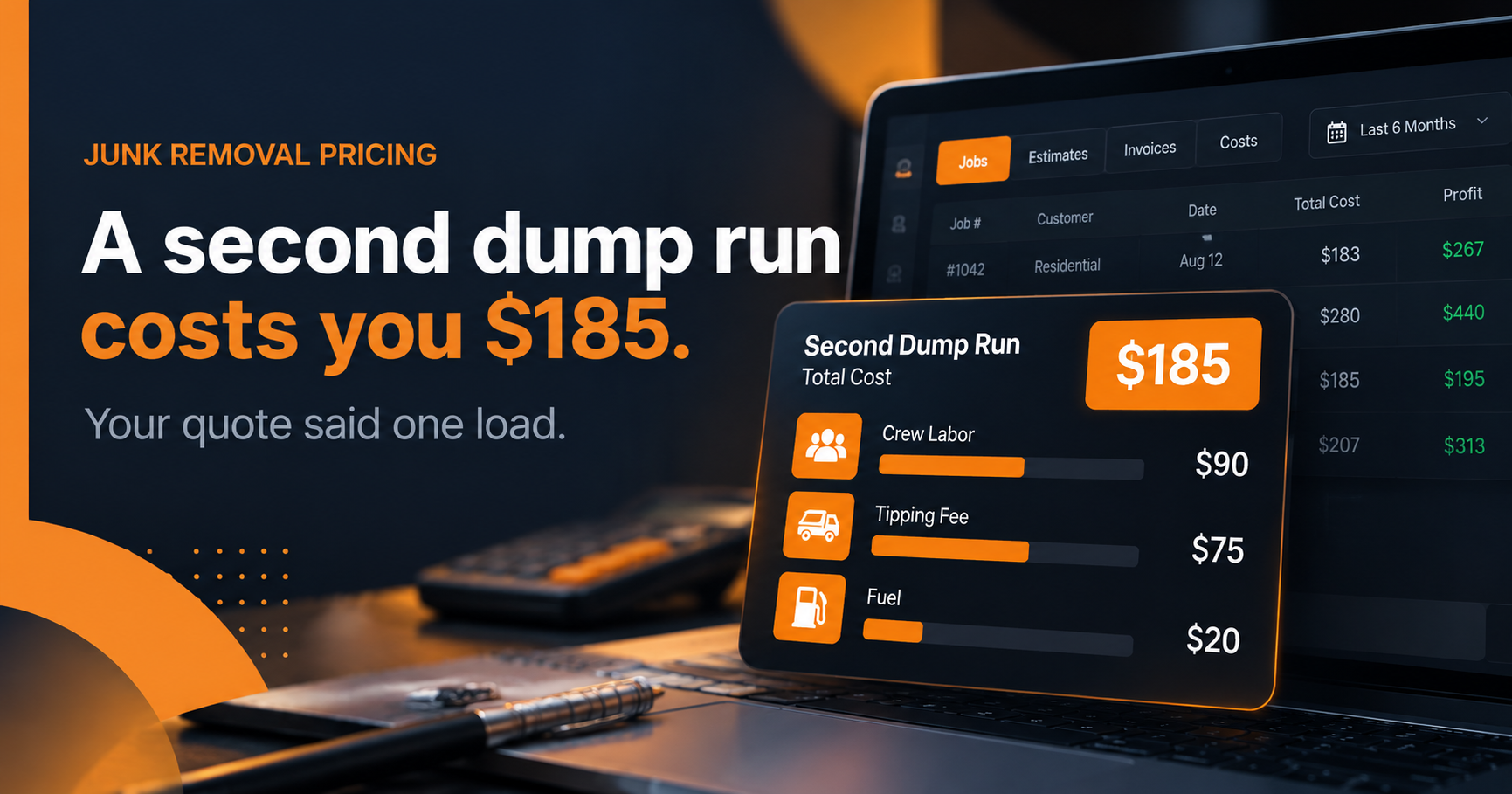
A second dump run costs you $185 on a job you quoted as one load.
Picture it. Two people on the crew, 1.5 hours on the extra trip, $30 an hour each. That’s $90 in labor. Add a $75 tipping fee and $20 in fuel. The customer paid for one load. You paid for two.
Most junk removal owners price by the load: quarter truck, half truck, three-quarters, full. It’s fast, customers understand it, and it’s how the whole trade quotes. It also hides the one cost that moves the most. This post shows you where dump fees break a load-based price, and how to check your own numbers in about an hour.
Why a load-based price hides your real cost
A half-truck quote is one number. Your cost on that half truck is not.
Disposal is billed differently than you quote. Many transfer stations and landfills charge by weight. Some charge by vehicle or by load. Either way, what you pay depends on what’s in the truck, not how much space it takes up. A half truck of cardboard and a half truck of wet yard debris look the same on your quote sheet. They don’t weigh the same at the scale.
So two jobs sold at the same price can carry very different bills. Your invoicing software sees the same $420 on both. It has no idea one of them ate $45 more at the dump.
That’s the gap. Revenue looks fine. The margin leaks out at the scale house, and nobody sees it until the bank balance is lighter than the month looked.
What one load really costs you
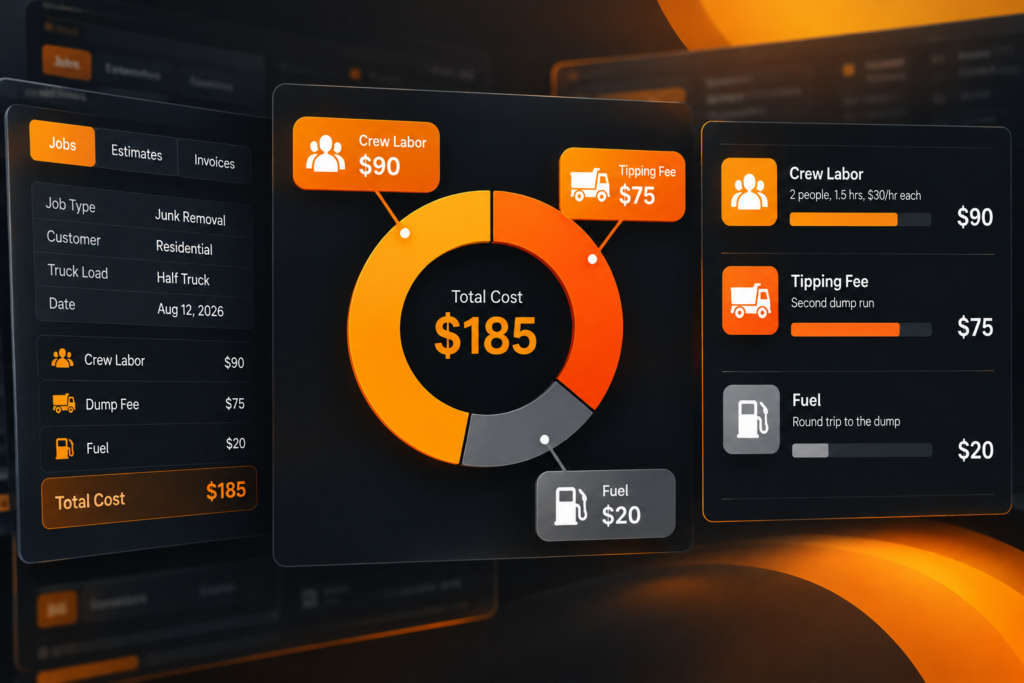
When you break a single job into its parts, the quote stops looking so simple.
Here are the four costs a flat load price tends to miss:
The second dump run. The truck fills before the job ends. The crew drives out, tips, and drives back. That’s crew time, a second tipping fee, and fuel, on a job priced as one load.
Disposal by material, not by space. Concrete, roofing, wet debris, and heavy furniture cost more to dump than light household items. The truck bed is the same size. The invoice from the facility is not.
Fuel and drive time to the dump. A facility 40 minutes out costs you more per run than one 10 minutes out. Most quotes don’t account for which site you’ll use.
Crew time on the hard stuff. Stairs, heavy items, and tight access slow the crew down. Time on site is a cost even when the truck never fills.
None of these show up on a quote that says “half truck, $420.” All of them show up on your P&L, just not by job.
Picture this: 80 half-truck cleanouts
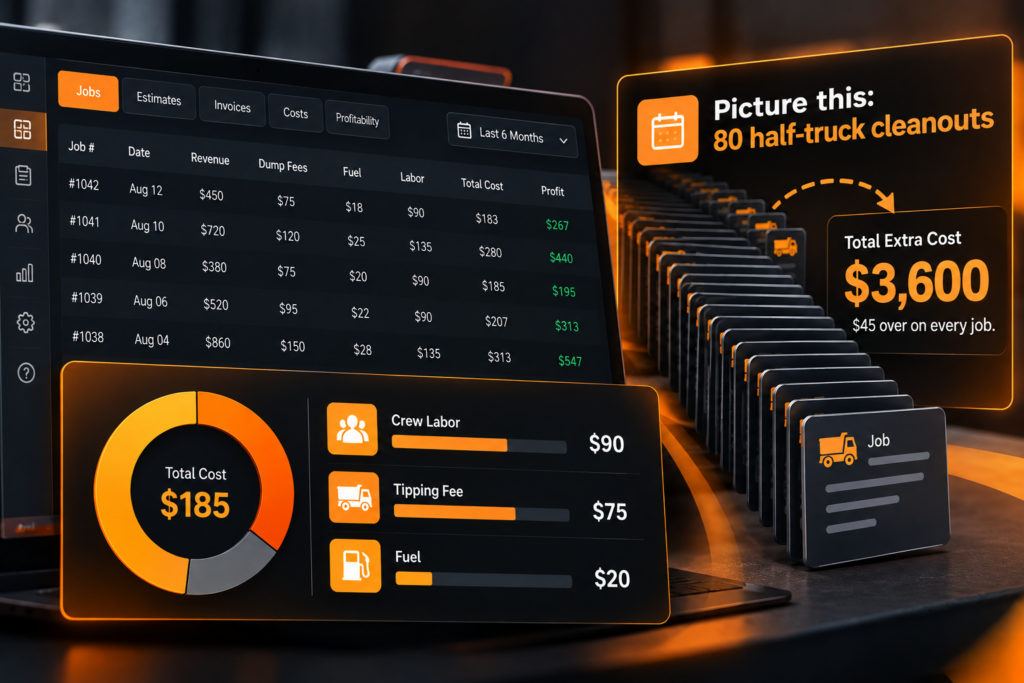
A typical scenario My Workbelt clients uncover. The numbers below are illustrative.
You ran 80 half-truck cleanouts last quarter. You think they’re your steady earners.
You quote by the load. Half a truck, one flat price, and you budgeted $60 for the dump. Heavy loads and wet debris pushed the real number to $105. Your CSM walks you through Budget vs Actual on those 80 jobs at your first Growth Review. Disposal is running $45 over estimate. Every cleanout.
$45 over, 80 jobs. That’s $3,600 in one quarter.
It wasn’t a pricing problem across the board. It was a heavy-load problem. You add a weight line to your quotes the following week. The leak stops.
How to test your own pricing on your last 20 jobs
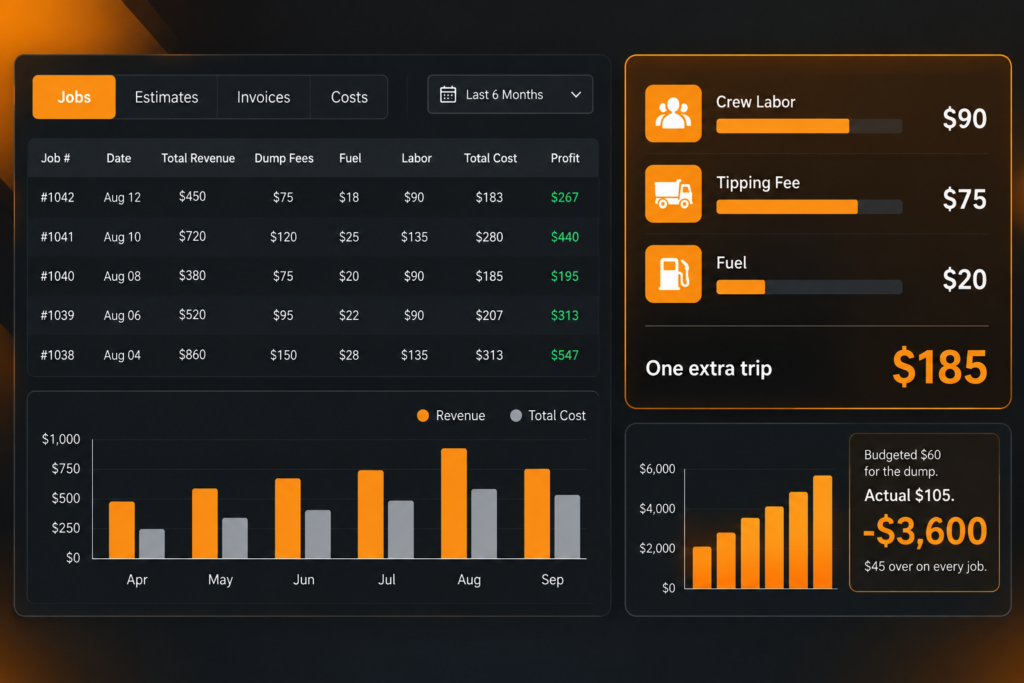
You don’t need software to find out whether this is happening to you. You need your last 20 jobs, your dump receipts, and an hour.
- Pull 20 recent jobs of the same load size. Half-truck cleanouts work well. Stick to one size so you’re comparing like with like.
- Write down what you quoted and what the job cost. Crew hours times wage, the disposal receipt, and fuel for the trip.
- Flag every job that needed a second run. Count them. Add up the extra labor, tipping fee, and fuel.
- Sort by material. Mark which jobs were heavy, wet, or mixed with construction debris. Compare the dump receipts against your light-load jobs.
- Find the gap. Average the disposal cost per job, then subtract what you budgeted. That number is what your quote is missing.
If the gap is small, your pricing holds. If it’s $30 or $45 a job, you’ve found money.
How to fix the price
Once you know where the gap is, you have a few ways to close it.
Add a heavy-item line. Workbenches, appliances, and anything with a disposal surcharge get their own price on the quote. The customer sees why. You stop eating it.
Add a weight or material surcharge. If concrete, roofing, or wet debris regularly pushes disposal over your budget, price it separately from a standard load.
Quote a second-run line. If a job is likely to overflow the truck, say so upfront and include the extra trip. A customer who’s told beforehand rarely pushes back. A customer who’s billed afterward does.
Raise the base price. Dump fees, fuel, and crew wages have all moved since you built your price sheet. Say you adjust by $30 across 600 jobs a year. That’s $18,000 you were leaving on the table. You raise prices at the next quote. A few customers push back. Most book anyway.
That $30 across 600 jobs is the second illustrative scenario we see at first Growth Reviews. The numbers are examples, not a promise.
Where software comes in
A spreadsheet works once. It breaks the third month, when you’re busy and the receipts pile up in the truck.
Budget vs Actual does the same test on every job, every time. Before a job starts, My Workbelt captures what you estimated for crew labor, disposal, and fuel. After the crew closes it out, it captures what the job actually cost. Then it shows you the gap by job type, by crew, and by truck.
Once a month, your Client Success Manager sits with you for an hour and walks through what it found. Which loads ran heavy. Which jobs needed a second run. What to change on your price sheet. You can see how it works for junk removal on the My Workbelt junk removal page.
Other platforms show you what got picked up. If you’re comparing options, here’s how My Workbelt stacks up against Jobber. Pricing is public, every line item, on the plans page.
Common questions about junk removal pricing
How should I price junk removal jobs? Start with a load-based price, then add lines for the things that cost you extra: heavy items, disposal surcharges, stairs, and likely second runs. Test the price against your actual job costs every quarter.
Why am I losing money on junk removal jobs that look profitable? Because disposal is billed by weight or material, and your quote is billed by space. Two jobs at the same price can have very different dump bills, and your invoices won’t show it.
What does a second dump run cost? In our example, $185: $90 in crew time, a $75 tipping fee, and $20 in fuel. Your numbers will differ. Run your own crew rate and dump fee through the same math.
How often should I update my junk removal prices? Check them against your real costs at least once a quarter. If dump fees, fuel, or wages have moved since you built your price sheet, your margin has moved with them.
Can software track dump fees by job? Yes. Budget vs Actual compares estimated and actual disposal, labor, and fuel on every job, so it flags a load type that runs over on its own.
See it on your jobs
If you want to see what Budget vs Actual finds in your own junk removal operation, book a demo. We’ll show you your job mix, not generic demo data. If we don’t find at least one hidden profit opportunity in your first 60 days, we refund every dollar you’ve paid us. No questions, no fine print, no clawback on the setup fee.