

Field service software that shows which jobs made money
MyWorkbelt runs the back office of a trades shop. Customers, quotes, schedules, work orders, invoices and inventory live in one field service platform. Budget vs Actual sits on top and shows what each job was quoted to cost against what it actually cost.
Customer
- > Customer Management
- > Import Customer
- > Customer Schedule
- > Customer Review
- > Prospect
- > Customer Reports
Quotes
- > External Quote
- > Internal Quote
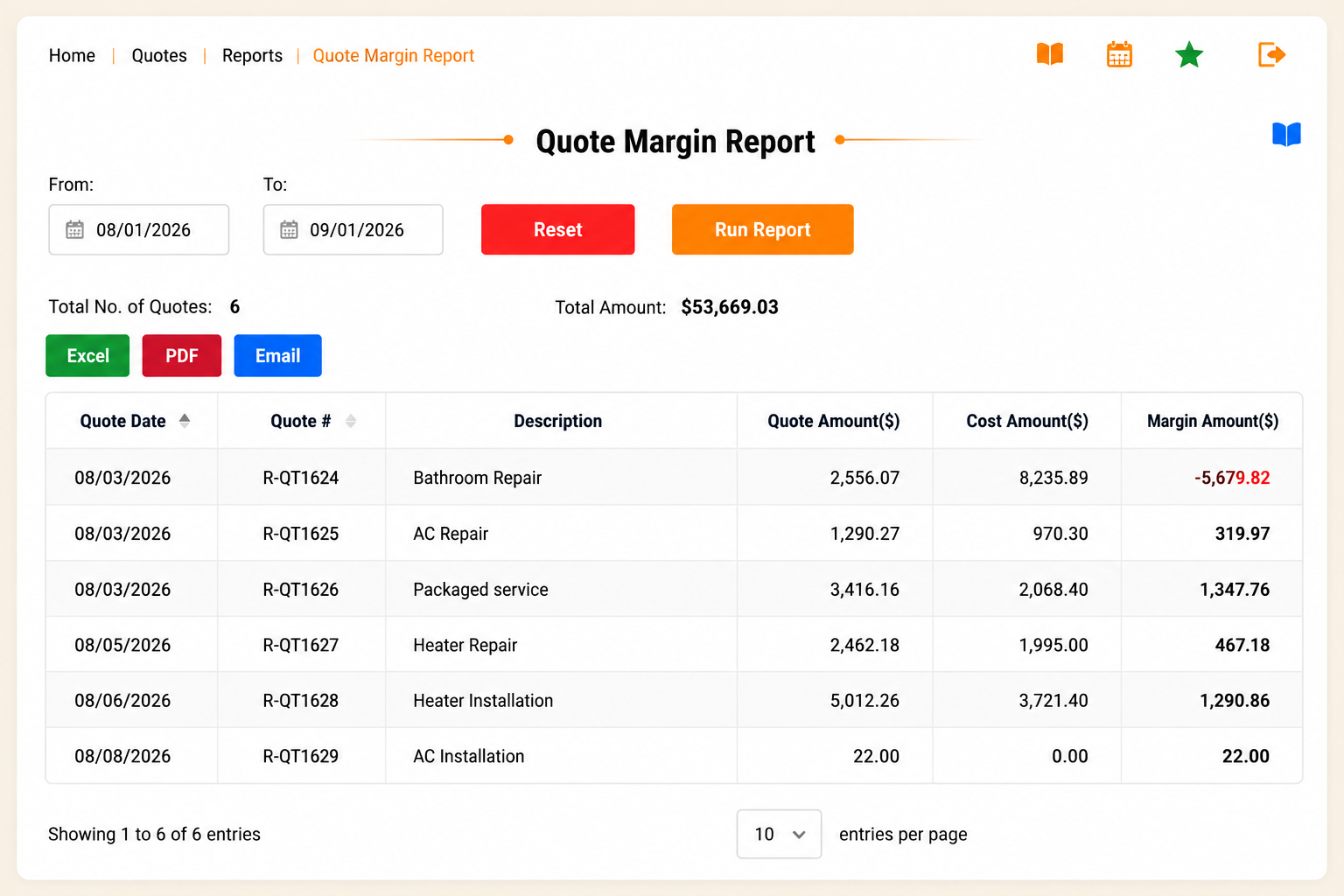
- > Quote Reports
Finance
- > Invoice
- > Finance Reports
- > Customer Payments
- > Payment-Refund
- > Credit Memo
Service Agreements
- > Customer Agreements
- > Terms and Conditions
- > Send Auto Invoice
- > Agreement Reports
Inventory
- > Inventory
- > Supplier
- > Category Management
- > Inventory Reports
- > Import Inventory
Purchasing
- > Purchase Orders
- > Mobile Stock Mgmt
- > Received Orders
- > Stock Management
- > Purchase Reports
THE HUMAN PART
A monthly Growth Review
with a real person.
Software shows you numbers. A dedicated client success manager
tells you what they mean.
Once a month, one person walks your numbers with you. What ran over, what to price differently, where the next dollar is.
The same person every time. They learn your business instead of reading a ticket.
Included with every account. Not an upsell, not a chatbot.
THE DIFFERENCE
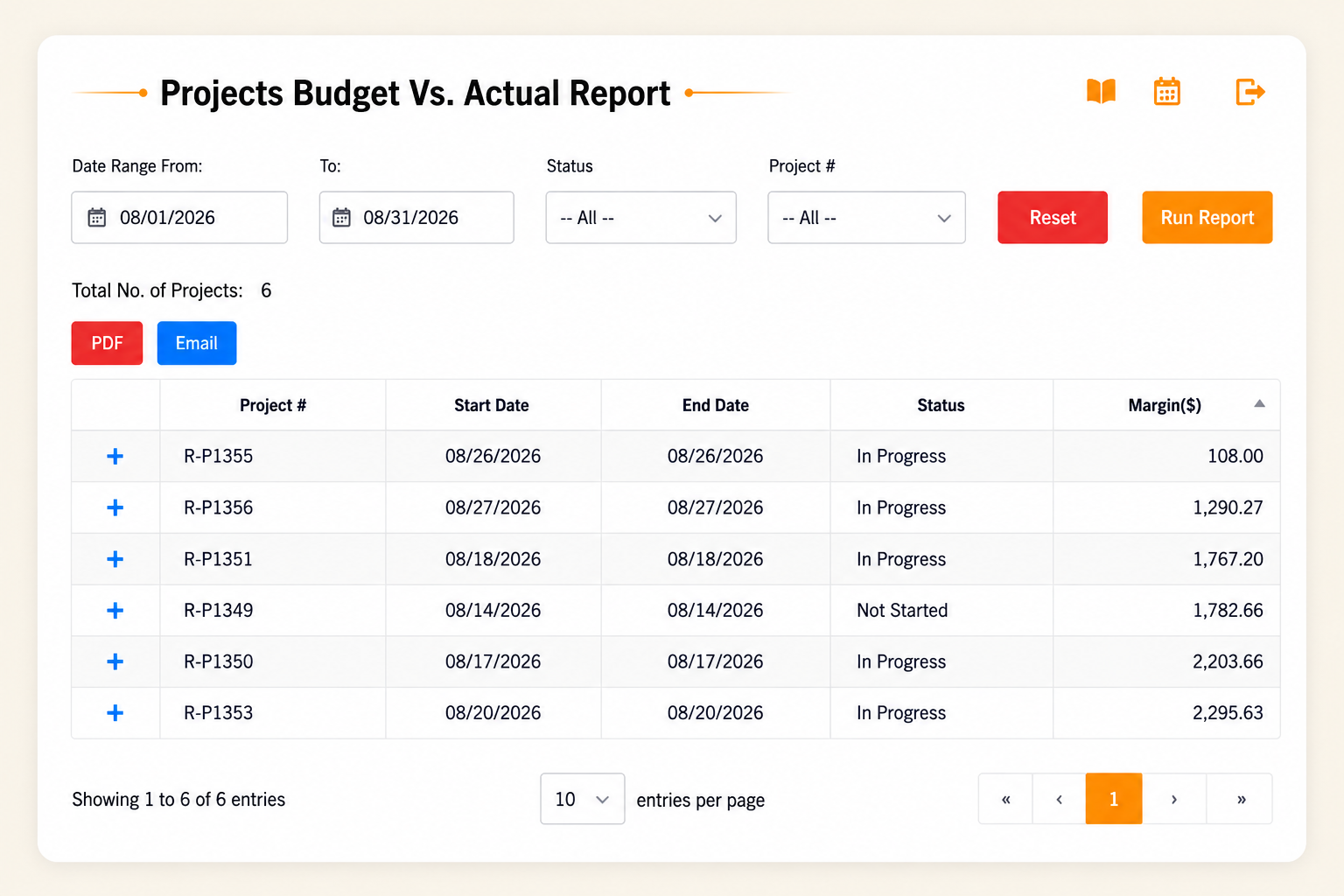
Budget vs Actual. The tool that shows you the money.
Every platform tracks jobs. MyWorkbelt tracks the profit on them.
- Compare what you quoted against what the job actually cost, by material category and by labor.
- See per-job margin the moment a job closes, not at tax time when it is too late to act.
- Get flagged when a job type runs over three jobs in a row, so a $191 pattern stops hiding inside a busy month.
The overrun that never showed up on a report.
Picture this. A typical scenario MyWorkbelt clients uncover.
You run a 12-tech HVAC operation in Grand Rapids. Replacements are your bread and butter and the margin looks fine on paper. Then Budget vs Actual by material category tells a different story.
Almost every changeout runs a little over on materials. A line set that was not in the estimate. A venting adapter picked up off 28th Street because the truck did not have it. None of it dramatic. All of it real.
The average overrun is $191 per job. On any single job that reads as normal variance. Across 94 replacement jobs in six months, it is $17,954 that left the business without ever showing up on a report.
Illustrative scenario for demonstration. Materials estimated at $1,840 per changeout, actual $2,031, a $191 per-job overrun. Not a specific client result. Numbers held consistent across all MyWorkbelt assets.
PER JOB
Average materials overrun per replacement
JOBS
Replacements completed in six months
WHAT BUDGET VS ACTUAL SURFACED
Unsurfaced loss over six months. No single job triggered an alarm.
See how it runs in your line of work.
Same platform, tuned to the jobs, margins, and headaches
specific to your trade.
General Contracting
Keep multi-phase jobs on budget from bid to final invoice.
The rest of the toolbelt, grouped
by the job you are doing.
The old page listed thirteen features in a row. Here they are
organized the way the work actually happens: win it, run it, get
paid, keep the record straight.
Win the work
Quoting and sales
Quote Control
Track every quote your team sends and who it went to. Nothing slips through the cracks.
Clone a Quote
Replicate any quote in one click, then edit to fit the new job. Stop starting from scratch.
Client Management
More than contact info. See past project costs and profit, and spot the clients worth keeping.
Run the job
Scheduling and execution
Crew Building & Scheduling
Whether it is just you or a full crew, know where, when, and who is driving what. Notify teams in one click.
Work Orders
Turn estimates into work orders or purchase orders in a snap and keep the workflow moving.
Project Tracking
On a big job, keep the team synced on budget, timing, crew, and profitability in one place.
Get paid, stock right
Money and materials
Invoicing & Payments
Get paid for your work. Track who owes you and process card payments without the hassle.
Inventory Management
Know what is in stock and when to reorder, so you never run out of the parts a job needs.
Vendor Management
Keep your vendors on task and on budget, with the history to hold them to it.
Keep the record straight
Files and follow-up
Support Log
Do not rely on memory. Track who to call back and when, so nothing gets dropped.
File Organization
Licenses, permits, photos, contracts. Save the important stuff in one spot you can find.
Employee Management
Organize team info and time tracking, so you know the hours going into every job.
STRAIGHT PRICING
One price. Line-item clear. Backed for 60 days.
No per-seat math you cannot predict and no surprise upgrade wall on the feature you actually need. If MyWorkbelt does not show you a profit opportunity worth acting on, get your money back inside 60 days.
- ✓
Every tool on this page, in every plan. - ✓
Monthly Growth Review included, not add-on. - ✓
Done-for-you setup and training. - ✓
60-day money-back guarantee.
FIELD SERVICE SOFTWARE QUESTIONS
Common questions,
answered plainly.
It runs the jobs: customers, quotes, scheduling, work orders, invoices and payments. MyWorkbelt adds job-level cost tracking, so you see whether each job made money.
A CRM stores customer records and follow-ups. Field service software also schedules crews, issues work orders and bills the job. MyWorkbelt includes both.
Yes. Budget vs Actual compares the quoted cost with the actual cost by job type.
Have a question that isn’t here? See the full FAQ or Book a Demo
More profit from every job.
Not just less paperwork.
Twenty minutes. We’ll show you what Budget vs Actual would look like on your trade
and your job mix. Not generic demo data. Your data.
60-day money-back guarantee. One Dedicated CSM. Setup configured for your operation.